Help2 min read
Get help from DreamPie
Ask about your plan and projects, get a script drafted, or have DreamPie change a scene for you.
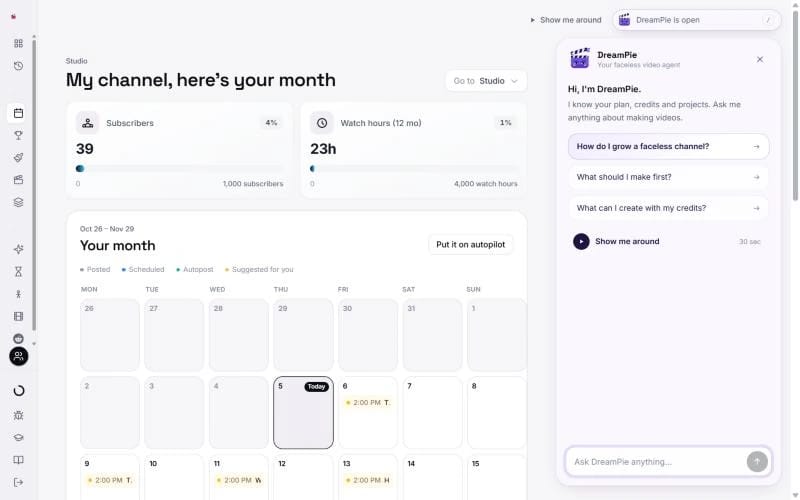
Open your dashboardDreamPie is TaleTok's faceless video agent. It knows your plan, your credits and your projects.
Open it
Press Ask DreamPie at the top of any page, or the / key. Inside an editor, press DreamPie in the top bar.
What to ask
- What should I make first? It starts from what you want from your channel.
- What can I create with my credits? It lists what fits your balance.
- How do I grow a faceless channel? It asks a few quick questions and gives you a plan.
- Why did this fail? It looks at your project and tells you the next step.
- Show me around plays a 30 second tour.
Get a script
Paste a script, a storyboard or a long prompt, or ask for an idea. DreamPie turns it into a Zack D Films or AI Shorts script with a Use this script button.
Let it change your project
In the Zack D Films, AI Shorts, 2D Stickman, Dark Stories and 3D Documentary editors, DreamPie sees every scene and can set up changes. For example:
- "Redraw scene 3 so the teacher looks angrier."
- "Animate scene 2 at Quality."
- "Make scene 4 last 6 seconds."
- "Render it."
- In 2D Stickman, "change the line in scene 5".
Anything that uses credits shows its price and your balance first, and only runs when you press Yes. Timing, transitions and camera moves are free and happen straight away. In other editors, and on examples, it explains the steps instead.
Limits
Questions a day: Free 20, Starter 30, Pro 50, Optimum 200.
DreamPie cannot give refunds or credits. For those, press Ask the team under a reply to reach a person.
Keep learning
3 min read
When something does not look right
What to do if a video stops, a scene looks wrong or you cannot find your work.
2 min read
Connect your YouTube channel
Link your channel once to track growth and post videos straight from TaleTok.
3 min read
Make your first video
Pick a format, add a script and get a finished video, with what each one costs.
4 min read
Start a long video episode
Pick a format, give it a topic and choose the look and voice for a video that can earn money.