Getting started2 min read
How credits and plans work
See what you have left, what things cost and how to get more.
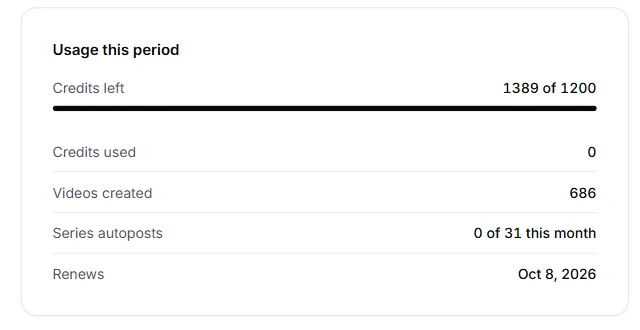
See your planCredits are how you pay for videos in TaleTok. Your plan gives you a fresh batch of credits every month.
See how many credits you have
Look at the bottom of the sidebar. The ring shows your plan and how many credits are left this month. Click it to open Billing.
What costs credits
- Making a video, with the amount shown on the button before you press it.
- Writing a script with AI.
- Redoing a single picture or clip you are not happy with.
Downloading, scheduling and editing your settings are always free.
Plans
There are three plans: Starter, Pro and Optimum. Bigger plans give you more credits each month.
To change plan, open Billing and press Change plan. To stop your plan, press Cancel subscription. Changed your mind? Press Keep my plan.
Running low?
If you do not have enough credits, TaleTok will tell you before anything starts. You can upgrade your plan right there, and you never lose your work in progress.
Keep learning
3 min read
Make your first video
Pick a format, add a script and get a finished short in a few minutes.
2 min read
Connect your YouTube channel
Link your channel once to track growth and post videos straight from TaleTok.
4 min read
Start a long video episode
Pick a format, get a script and choose the style and voice for a video that can earn money.
3 min read
When something does not look right
What to do if a video stops, a scene looks wrong or you cannot find your work.