Studio and episodes2 min read
Review your script before the editor
Read the script, fix any line or the title, or rewrite it, before a single picture is made.
Start an episodeEvery episode format can stop on its script before the editor opens. Nothing has been drawn or recorded yet, so this is the cheapest moment to change your mind.
Turn it on
When you create an episode, tick Review script first next to Create project. It stays on for your next episodes until you untick it.
Read and edit
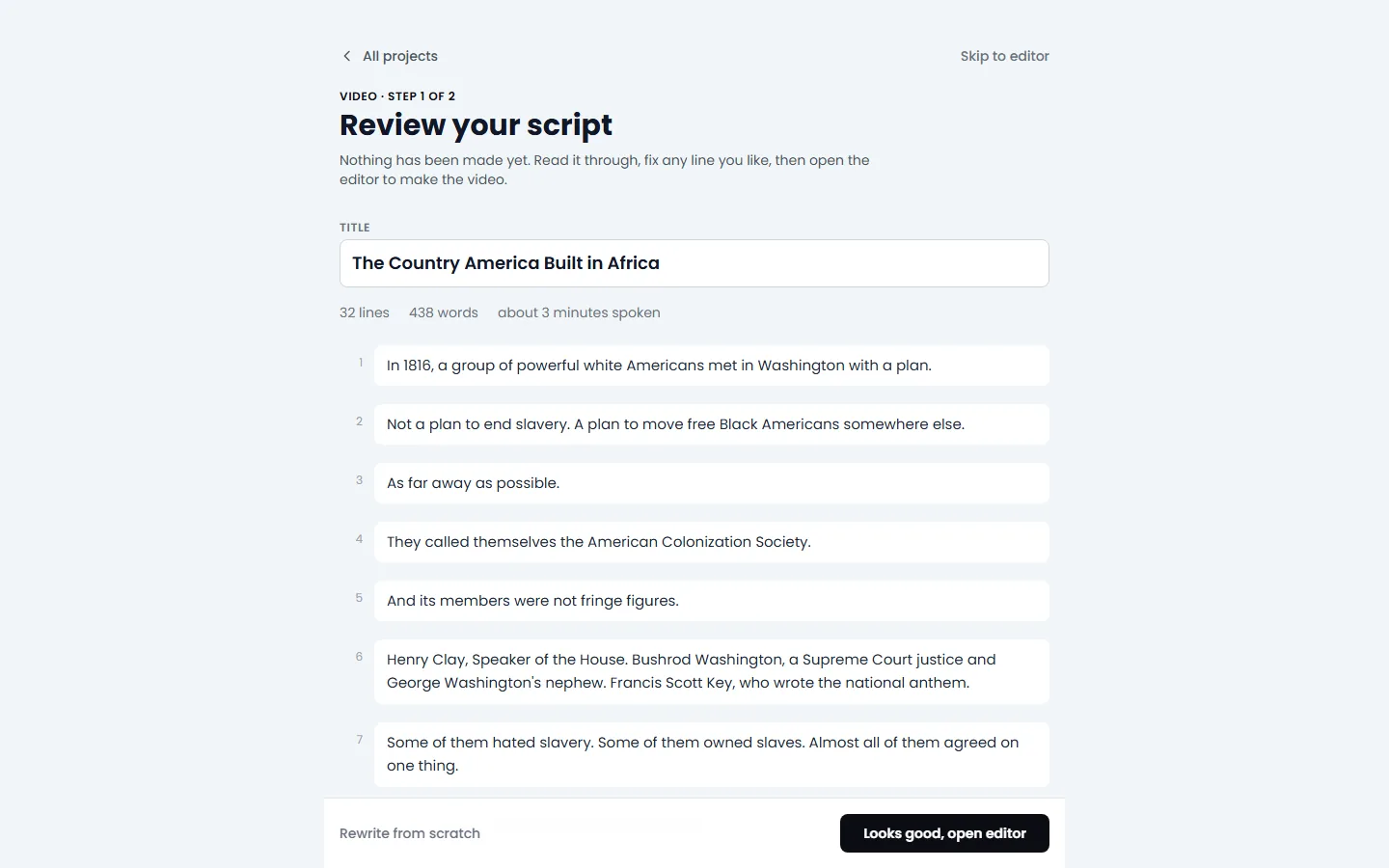
- The script appears as soon as it is written, usually in under a minute. You can leave the page and come back.
- Change the Title at the top.
- Click any line to edit it. Edited lines are highlighted so you can see what changed.
- The counts under the title show the number of lines and words, and about how long the video will be.
Happy with it?
Press Looks good, open editor. If you changed anything the button says Save and open editor and keeps your edits.
Not happy at all?
Press Rewrite from scratch at the bottom. TaleTok writes a new script from the same topic. The button shows any credits it uses.
Keep learning
4 min read
Start a long video episode
Pick a format, give it a topic and choose the look and voice for a video that can earn money.
2 min read
Connect your YouTube channel
Link your channel once to track growth and post videos straight from TaleTok.
3 min read
Make your first video
Pick a format, add a script and get a finished short in a few minutes.
3 min read
When something does not look right
What to do if a video stops, a scene looks wrong or you cannot find your work.