Post and grow3 min read
Autopost a series
Set up a series once and TaleTok makes and posts new videos on your schedule.
Create a seriesA series keeps your channel posting even when you are busy. You choose the format, the topics and the times. TaleTok makes each video and posts it for you.
You need a connected YouTube channel first. See Connect your YouTube channel.
Create a series
- Open Series under Studio in the sidebar.
- Press Create New Series.
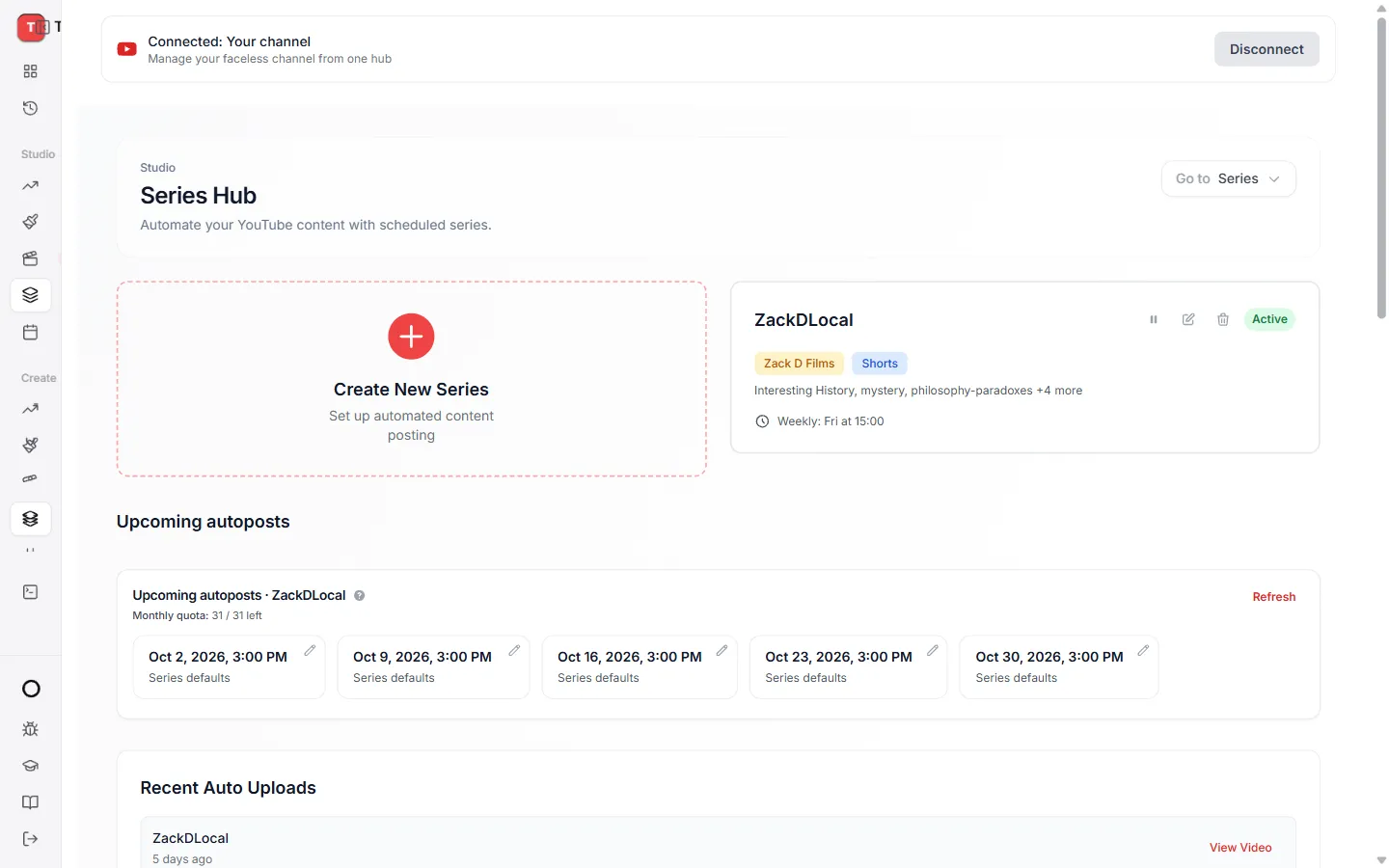
The setup walks you through a few short steps:
- Format. The kind of video to make.
- Name. What to call this series.
- Look. The art style, for AI Shorts.
- Topics. What the videos should be about.
- Voice. The narrator.
- Schedule. Which days and times to post.
- Review. Check everything, then save.
Change a series later
Open the series and pick any scheduled slot to change it with Edit scheduled post.
Keep learning
2 min read
Connect your YouTube channel
Link your channel once to track growth and post videos straight from TaleTok.
2 min read
Schedule a finished video to YouTube
Pick a day and time and TaleTok posts your video for you.
2 min read
Make every video look on brand
Save a default look and narrator so every new video matches your channel.
3 min read
Make your first video
Pick a format, add a script and get a finished short in a few minutes.