YouTube automation tools in 2026, priced and compared
The YouTube automation tools worth paying for in 2026, with real October prices, what each one actually automates, and what a 3 video a week channel costs.
October 22, 2026 · 10 min read

Author
codeBeboo
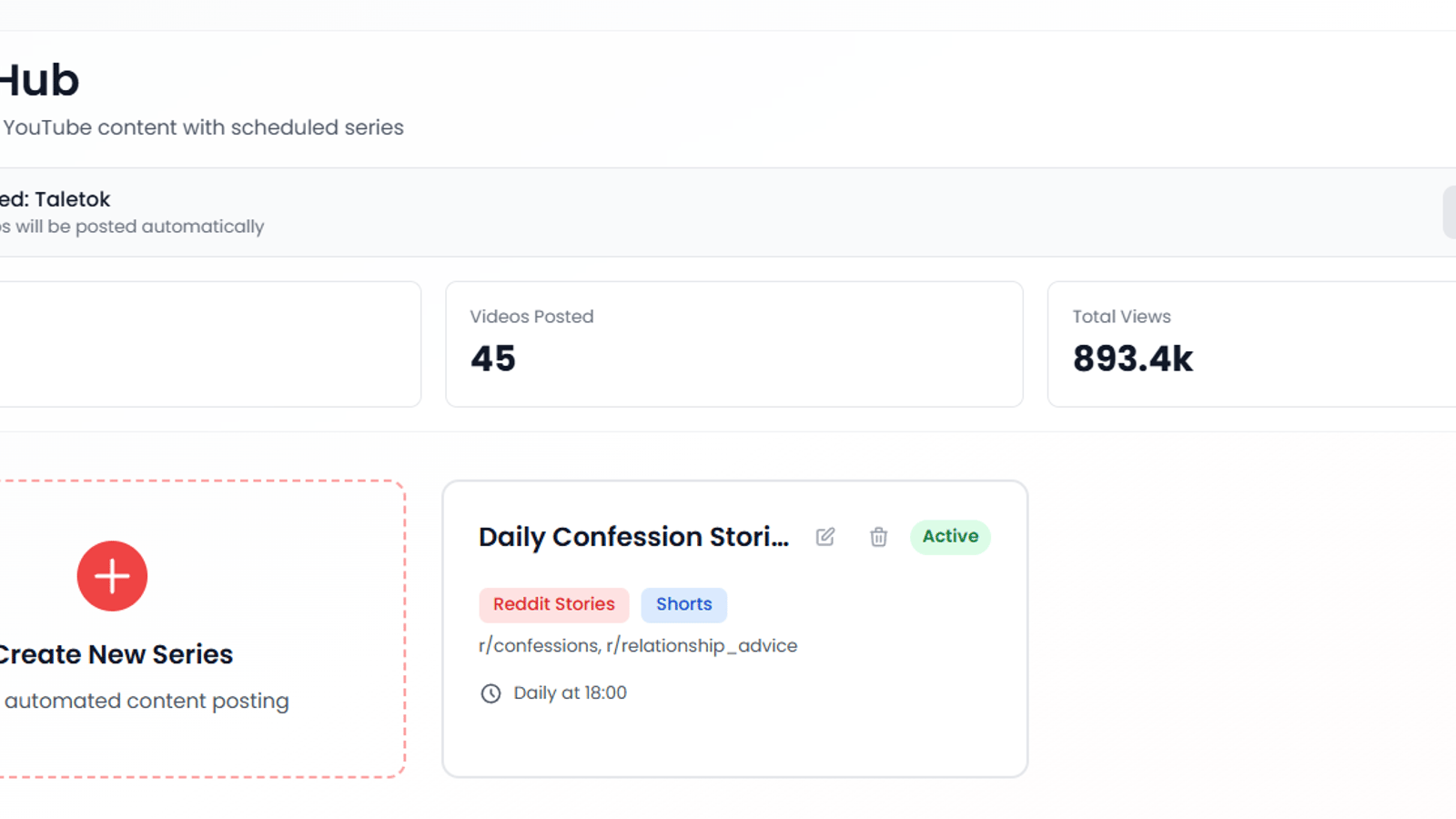
Most lists of YouTube automation tools leave out the one thing you need to decide: the price. They are also usually written by a tool that puts itself at number one. This one is written by TaleTok, so yes, we are on it. Every other price below was checked on the vendor's own pricing page in October 2026, and we say plainly where a competitor beats us.
The list splits into two camps. All-in-one tools turn a topic into a finished video. Stack tools each do one job (script, voice, thumbnail, research), and you stitch them together. At the end there is the monthly bill for a channel posting 3 videos a week, done both ways.
The short answer
| Tool | Job it automates | Cheapest paid plan (Oct 2026) | Autoposts? |
|---|---|---|---|
| TaleTok | Topic to finished Short or long-form video | $27/mo, or $13.50/mo billed yearly | YouTube |
| AutoShorts.ai | Topic to finished Short, on a schedule | $19/mo (3 videos a week) | Yes, listed on every plan |
| InVideo AI | Prompt to edited video | $20/mo, or $10/mo billed yearly | Not on its pricing page |
| Crayo | Short-form clips, voiceover, captions | $13/mo | Not on its pricing page |
| ElevenLabs | Voiceover | $6/mo | No |
| OpusClip | Long video to Shorts | $15/mo | Pro plan ($29) schedules |
| vidIQ | Topic and keyword research | Free, or $19/mo | No |
| Canva | Thumbnails | $144/yr for Pro | No |
| ChatGPT or Claude | Scripts | Free tiers work | No |
| YouTube Studio | Scheduling | Free | Schedules your own uploads |
If you only read one line: pick one all-in-one tool for production, and add vidIQ's free plan for ideas. Everything else is optional until the channel earns.
All-in-one YouTube automation tools
These are the tools that make the video for you, which is what most people mean by AI YouTube automation. The question to ask of each one is simple: what does it hand back, and do you still have to upload it yourself?
1. TaleTok
We built TaleTok for faceless channels that want more than 60 second clips. You give it a topic, it writes the script, narrates it, builds the visuals and captions, and uploads to your YouTube channel on the days you pick. Every scene is editable before anything goes out, which matters more than it sounds (see the policy section below).
The formats are the reason people choose it: Zack D Films style 3D Shorts, stickman explainers up to 10 minutes, and horror stories and 3D documentaries up to 30 minutes. That last part is where most tools on this list stop. Long-form over 8 minutes can carry mid-roll ads, which is where faceless income actually comes from.
- Price: Starter $27/mo (400 credits), Pro $47 (1,200), Optimum $77 (3,000). Billed yearly, each plan is half price.
- What a video costs: an AI Short from 20 credits, a Zack D style Short 135 to 155, a 10 minute stickman video 352. You see the exact cost before it renders.
- Where it falls short: autoposting is YouTube only. For TikTok and Reels you download the file and post it yourself.
2. AutoShorts.ai
AutoShorts is the most literal "set it and forget it" tool here. You set up one series, and it generates and posts Shorts on a fixed rhythm. The plans are named after how often you post, which makes the maths easy.
- Price: Starter $19/mo posts 3 times a week, Daily $39, Hardcore $69 (twice a day). Every paid plan includes one series.
- Good for: one Shorts channel on autopilot with no editing.
- Where it falls short: its free plan is marked "temporarily paused", and one series per plan gets expensive if you run several channels. We wrote up the options in AutoShorts alternatives.
3. InVideo AI
InVideo is a prompt-to-video editor with a big stock library. It is stronger for general YouTube explainers and marketing videos than for a specific faceless format.
- Price: Starter $20/mo (400 credits) or $10/mo billed yearly. Plus is $60 and Max $150. There is no free plan on the pricing page, and unused credits do not roll over.
- Good for: stock-footage explainers you want to tweak by hand.
- Where it falls short: its pricing page lists no scheduler or autoposting, so you still upload every video.
4. Crayo
Crayo is built around viral short-form: gameplay-background clips, captions and AI voiceover. Think Reddit story Shorts and clipping, not 20 minute documentaries.
- Price: Hobby $13/mo, Clipper $27, Pro $55. Hobby includes 30 minutes of AI voiceover and 2 hours of exports a month.
- Good for: high-volume vertical clips.
- Where it falls short: no free plan, no credit rollover, and no autoposting mentioned on its pricing page. More in Crayo alternatives.
Stack tools: automate one job at a time
A stack gives you more control and costs more time. It is the right choice if you already have an editor, or a VA doing the assembly.
5. ElevenLabs for voiceover
Still the voice most faceless channels use. One trap catches beginners: the free plan has no commercial licence, so you cannot use it on a channel you plan to monetise.
- Price: Starter $6/mo for roughly 30 minutes of speech with a commercial licence. Creator is $22 list for roughly 121 minutes.
- Rule of thumb: a 3 Shorts a week channel fits in Starter. A weekly 10 minute long-form video needs Creator.
6. OpusClip for repurposing
If you already make long videos, OpusClip cuts them into Shorts. It is a multiplier, not a production tool.
- Price: Starter $15/mo removes the watermark and posts to YouTube Shorts, TikTok and Instagram. Pro at $29/mo adds the scheduler.
- Watch out for: free exports are deleted after 3 days, and free animated captions carry a watermark.
7. vidIQ for ideas and keywords
Automation only helps if the topics are right. vidIQ tells you what is already getting views in your niche.
- Price: free plan with 150 AI credits a month. Boost is $19/mo or $199/yr.
- Our take: the free plan is enough for your first 30 videos. Pay once you are choosing between ideas, not looking for them.
8. Canva for thumbnails
Thumbnails decide click-through rate, and they are the one asset worth making by hand.
- Price: Pro is $144 a year. Canva only shows yearly pricing now.
9. ChatGPT or Claude for scripts
Either one writes a usable first draft for free. The part you cannot automate is the point of view: the angle, the facts you checked, the hook you rewrote.
10. YouTube Studio for scheduling
The free option most guides forget. If your production tool does not post for you, YouTube Studio's own scheduler will. You do not need a third-party bot for that, and bots that upload through unofficial routes put your channel at risk.
What 3 videos a week actually costs
This is the comparison nobody else on page one does. The scenario: one faceless channel posting 3 Shorts a week, about 13 videos a month.
| Setup | Tools | Monthly cost | Your time per video |
|---|---|---|---|
| All-in-one (TaleTok) | TaleTok Starter | $27, or $13.50 billed yearly | Review and approve |
| All-in-one (AutoShorts) | AutoShorts Starter | $19 | None, it posts on its own |
| Stack | ElevenLabs Starter + InVideo Starter + Canva Pro + vidIQ Boost | about $57 | Script, assemble, upload |
The TaleTok row assumes AI Shorts at 20 credits each: 13 × 20 = 260 credits, inside Starter's 400. Zack D style Shorts cost more (135 to 155 credits each), so 13 of those a month need the Optimum plan.
Long-form changes the picture. One 10 minute video a week is roughly 40 minutes of narration, so the stack needs ElevenLabs Creator before you have paid for visuals. On TaleTok, four 10 minute stickman videos come to 1,408 credits, which is the Optimum plan. Pro covers three.
Our view: the stack is cheaper only if your time is free. For a solo creator, the all-in-one tools win on hours, and hours are what make a channel stick past the first month. That is the point where most of them stall, which is why the warmup routine matters as much as the tools.
The policy risk no tool will mention
In July 2025, YouTube renamed its "repetitious content" policy to inauthentic content, to make clear it covers mass-produced and repetitive videos. Its YouTube Partner Program policies list AI content built on generic templates, without the creator's own insight, as something that cannot earn.
That does not ban AI tools. It bans channels where every video is the same template with the nouns swapped. So when you judge YouTube automation tools, the question that matters is not "how many videos a day" but "can I change the script, the scenes and the angle before it posts?" A tool that only produces one-click black boxes is a monetisation risk, however cheap it is.
The practical fix is boring. Edit every script, give the channel one clear niche (our faceless channel ideas list has 27, with RPM estimates), and check the monetization requirements before you scale up.
How to choose
- You want one Shorts channel running itself: AutoShorts at $19 is the cheapest true autopilot.
- You want monetisable long-form, or formats like 3D and stickman: TaleTok. This is the gap we built it for.
- You already film or edit: a stack of OpusClip, ElevenLabs and YouTube Studio.
- You are just testing the idea: vidIQ free, ChatGPT or Claude free, and the free credits a new YouTube automation account gets on TaleTok. Spend nothing until a video gets views.
FAQ
How do you do YouTube automation with AI?
Pick a niche, then let tools handle the four production jobs: script, voice, visuals and captions. Either use an all-in-one tool for all four, or one tool per job. Schedule uploads in your tool or in YouTube Studio. The steps are laid out in how to start a faceless YouTube channel.
Are there free YouTube automation tools?
Yes, but each free tier has a catch. ElevenLabs free has no commercial licence. OpusClip free deletes exports after 3 days. AutoShorts' free plan is paused. vidIQ free, ChatGPT or Claude free, and YouTube Studio's scheduler are genuinely usable at no cost.
Which YouTube SEO tool is best?
For a new faceless channel, vidIQ. Its free plan covers keyword and idea research, and Boost at $19/mo is enough for most solo channels. TubeBuddy is the usual alternative if you prefer its browser extension.
Is YouTube automation still worth it in 2026?
Yes, if the channel adds something a template cannot: a point of view, real research, or a format people want to watch. It is not worth it as a way to mass-produce identical videos, because the inauthentic content policy demonetises exactly that. Long-form pays much more than Shorts. Our breakdown of how much YouTube pays per view shows the gap.
Continue reading
In this guide series
Ready to put this into practice?
YouTube automationRead more

How to Make a Stickman Animation (by Hand vs with AI)
How to make a stickman animation in 2026: frame by frame in Pivot Animator or FlipaClip, or with AI. Honest time and cost for each, and which suits your goal.

VEED Alternatives: The Monthly Price Is Actually $25
VEED's pricing card shows about $12 a month. That figure is the year divided by 12. Creator is $25 monthly, and a free export keeps the watermark.

Narakeet Alternatives: The Real Cost Per Minute of Voiceover
Narakeet sells voiceover minutes outright from 20 cents and they never expire. We priced every pack per minute and read the licence behind the free plan.
Fish Audio Alternatives: Prices Per Minute and Licence Terms
Fish Audio voiceover costs 5.5 cents a minute on Plus. We priced four voice tools per minute of audio and read the licence the free plan really grants.