Getting started3 min read
Make your first video
Pick a format, add a script and get a finished short in a few minutes.
Open your dashboardTaleTok turns a script into a finished video with pictures, a voice and captions. You do not need any editing skills. This guide walks you through your very first one.
1. Pick a format
Open your Dashboard. Under Start a video you will see every format you can make.
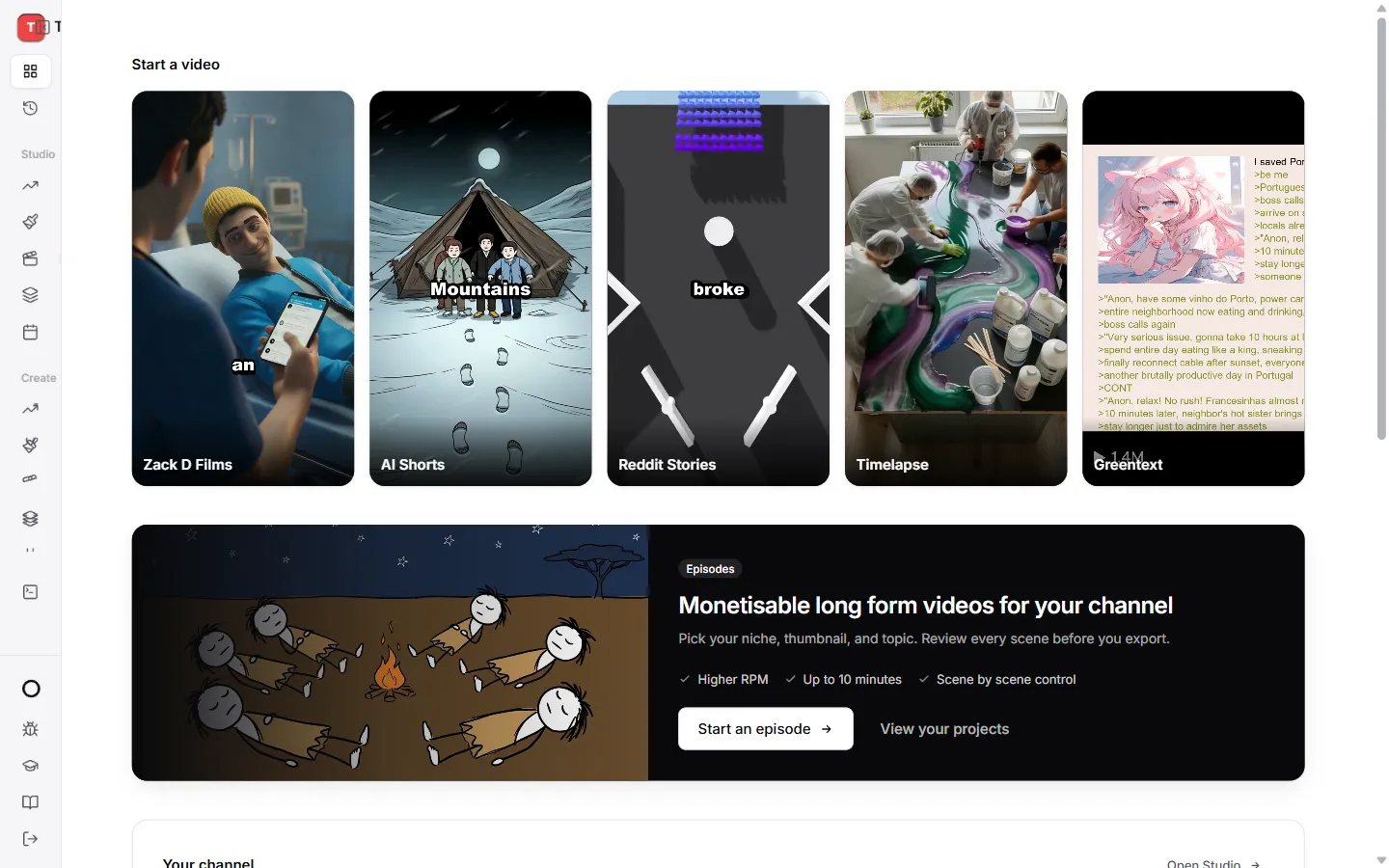
- Zack D Films makes 3D narrator shorts with a main character.
- AI Shorts makes a short in any art style you like.
- Reddit Stories and Greentext turn a story into a gameplay video.
- Timelapse shows something being built from start to finish.
- Episodes in Studio make long videos that can earn money on YouTube.
Not sure? Start with AI Shorts. It is the easiest way to see how TaleTok works.
2. Add your script
Paste a script into the Script box, or let TaleTok write one for you. Keep it short. A good Short is about 30 to 60 seconds when read out loud.
3. Choose the look and the voice
Pick an art style, a narrator voice and a caption style. Every choice shows a preview, so you can see and hear it before you commit.
4. Make it
Press the button at the bottom to start. Every button that spends credits shows the amount on it, so there are no surprises.
When the video is ready you can Download it or press Schedule post to send it to YouTube.
Where to find it later
Every video you make is saved in History in the sidebar. From there you can download it again or schedule it at any time.
Help inside every editor
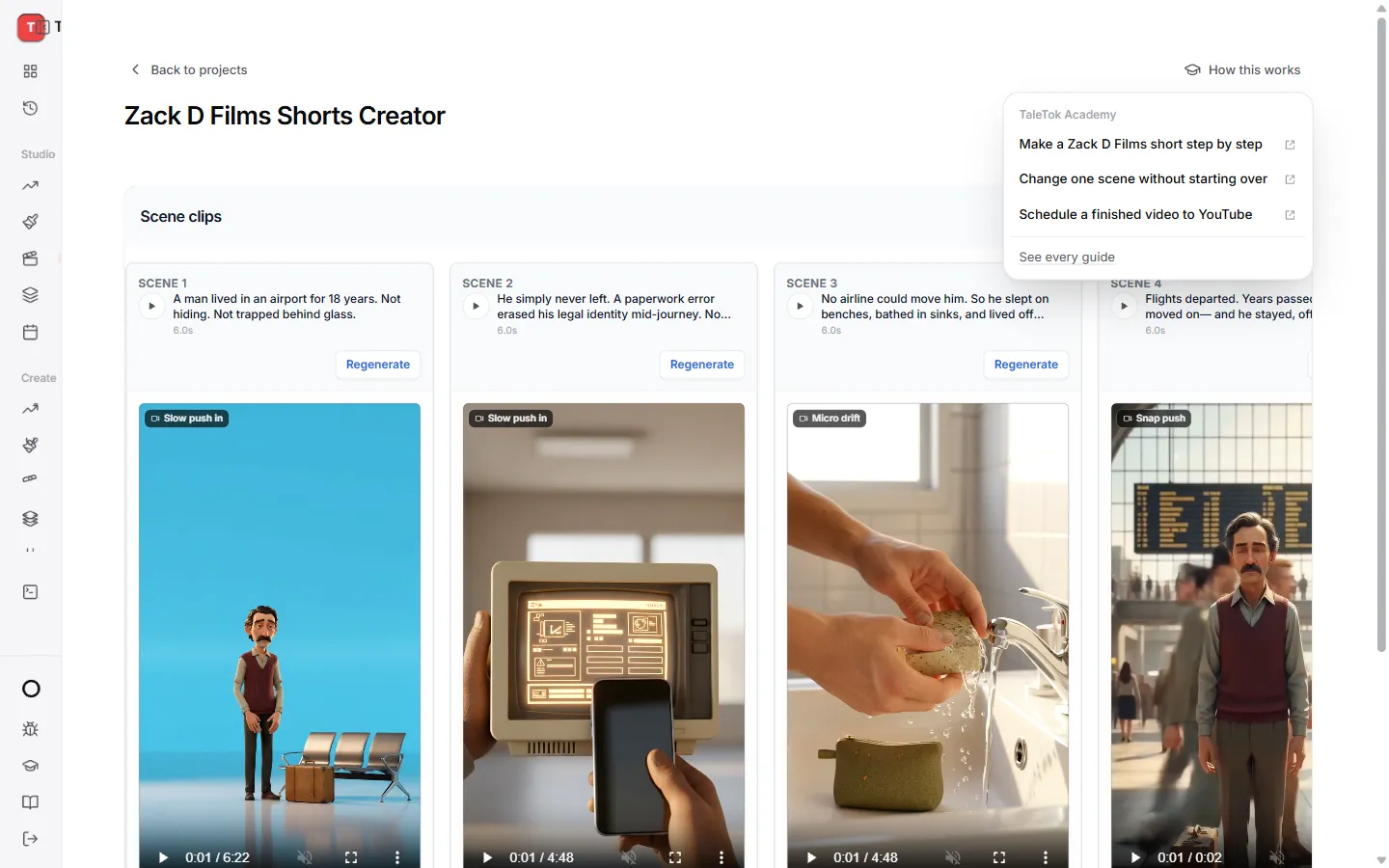
Stuck halfway? Press How this works at the top right of the Zack D Films, AI Shorts or Episodes editor. It opens the guides for that editor in a new tab, so you never lose your place.
Next steps
- Want to check every scene before it is finished? Read the guide for the AI Shorts editor.
- Want to post without lifting a finger? See Autopost a series.
Keep learning
2 min read
How credits and plans work
See what you have left, what things cost and how to get more.
2 min read
Connect your YouTube channel
Link your channel once to track growth and post videos straight from TaleTok.
4 min read
Start a long video episode
Pick a format, get a script and choose the style and voice for a video that can earn money.
3 min read
When something does not look right
What to do if a video stops, a scene looks wrong or you cannot find your work.