Help3 min read
When something does not look right
What to do if a video stops, a scene looks wrong or you cannot find your work.
Most problems take one click to fix. Here is what to do.
A video seems stuck
Videos can take a few minutes. You can leave the page and come back later. Your project keeps going.
If nothing has changed for a long time:
- Episodes: look for the Build paused card and press Retry, or press Retry failed frames to redo only the pictures that did not finish.
- Zack D Films and AI Shorts: press Start over to try again with the same project.
One scene looks wrong
Redo just that scene. Press Regenerate, change the words in Edit prompt and press Regenerate again. See Change one scene without starting over.
I cannot find my video
- Every finished video is saved in History in the sidebar.
- Projects in progress are on the page for that format, such as Zack D Films or Episodes.
Not enough credits
TaleTok tells you before anything starts. Upgrade your plan or wait for your monthly credits. See How credits and plans work.
Still stuck? Tell us
Press Report a bug at the bottom of the sidebar. Pick what it is about, tell us what happened and press send.
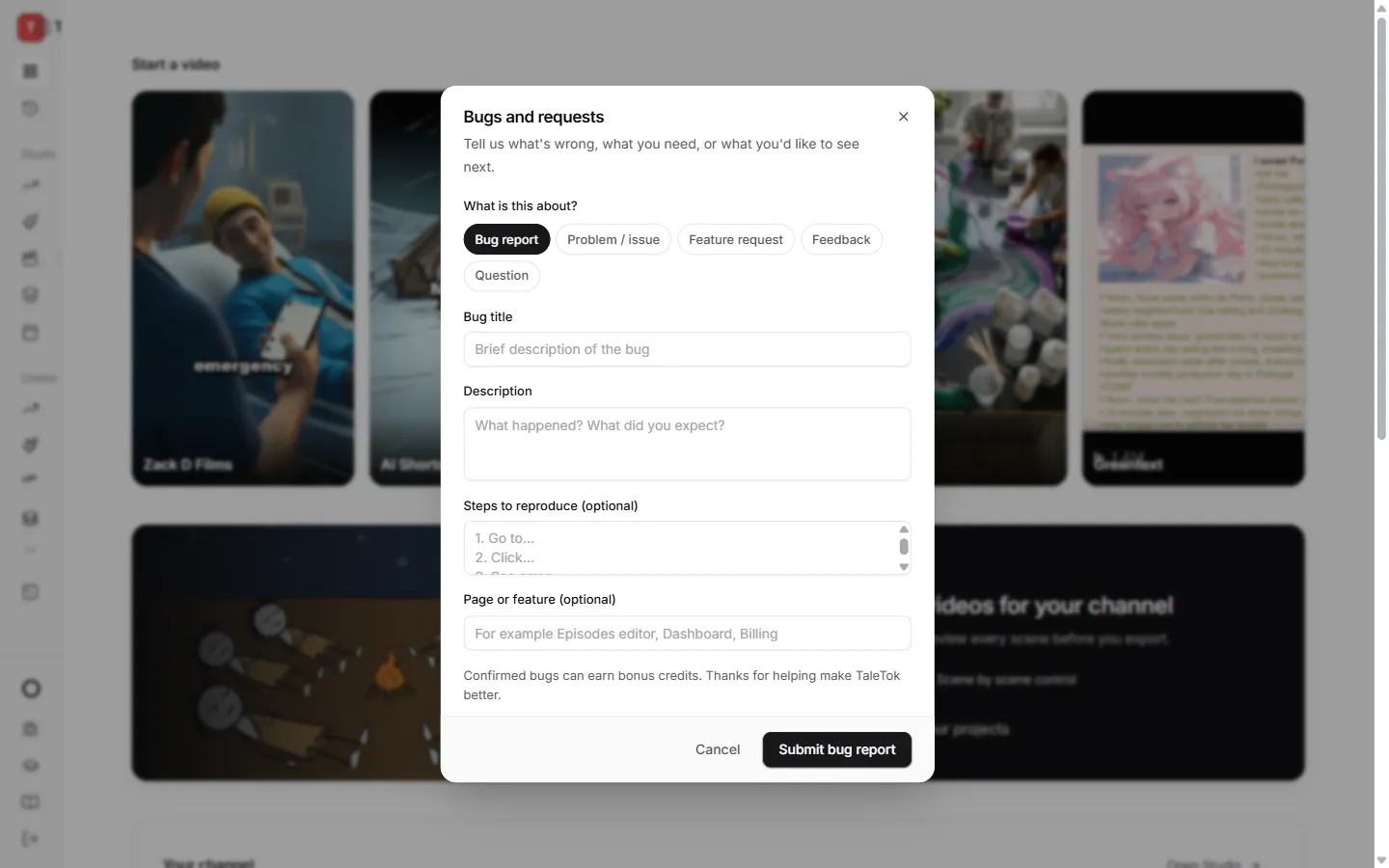
Confirmed bugs can earn you bonus credits. You can also use the same window to ask a question or suggest a feature.
Keep learning
2 min read
Connect your YouTube channel
Link your channel once to track growth and post videos straight from TaleTok.
3 min read
Make your first video
Pick a format, add a script and get a finished short in a few minutes.
4 min read
Start a long video episode
Pick a format, get a script and choose the style and voice for a video that can earn money.
6 min read
Make a Zack D Films short step by step
Pick your character, check every frame and clip, then finish a cinematic 3D short.